
Bug Report Form
The Bug Reporter lets you submit bug reports to the Wized team directly from the configurator, without leaving the page.
Submitting a bug report
To open the Bug Reporter, click the bug icon in the left sidebar.

A form will appear as below:
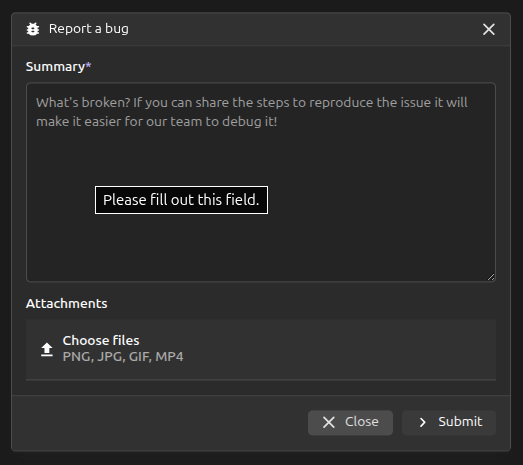
Summary (required): Describe what is broken. Include the steps to reproduce the issue whenever possible.
Attachments (optional): Attach any files that help illustrate the issue.
Once you have filled in the summary, click Submit. Your name, project ID and a session recording URL are automatically included with the report to help the team debug the issue in context.
After a successful submission, a confirmation message will appear and the form will close. If the submission fails, an error message will be shown and you can try again.