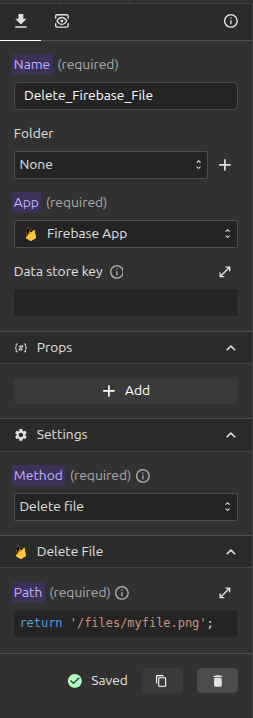
Delete File
The Delete file method is used to delete files from your Firebase Cloud Storage.
To make a delete file request, follow these steps:
- First, ensure you have Cloud Storage set up on your Firebase app.
- Make sure that the Storage Bucket is defined in your Firebase App integration.
- Open the request panel and click on the
+button to add a new request. - Fill in an appropriate name for the request and select the Firebase app to be used for the request. Then, under the method, choose
Delete file. - Scroll down to fill in the storage path of the file you want to delete.